Most Windows users never think about drivers until something goes wrong. The screen flickers. The audio stops working. The internet drops. The PC slows down for no clear reason. In most cases, the root cause is the same: outdated or broken drivers.
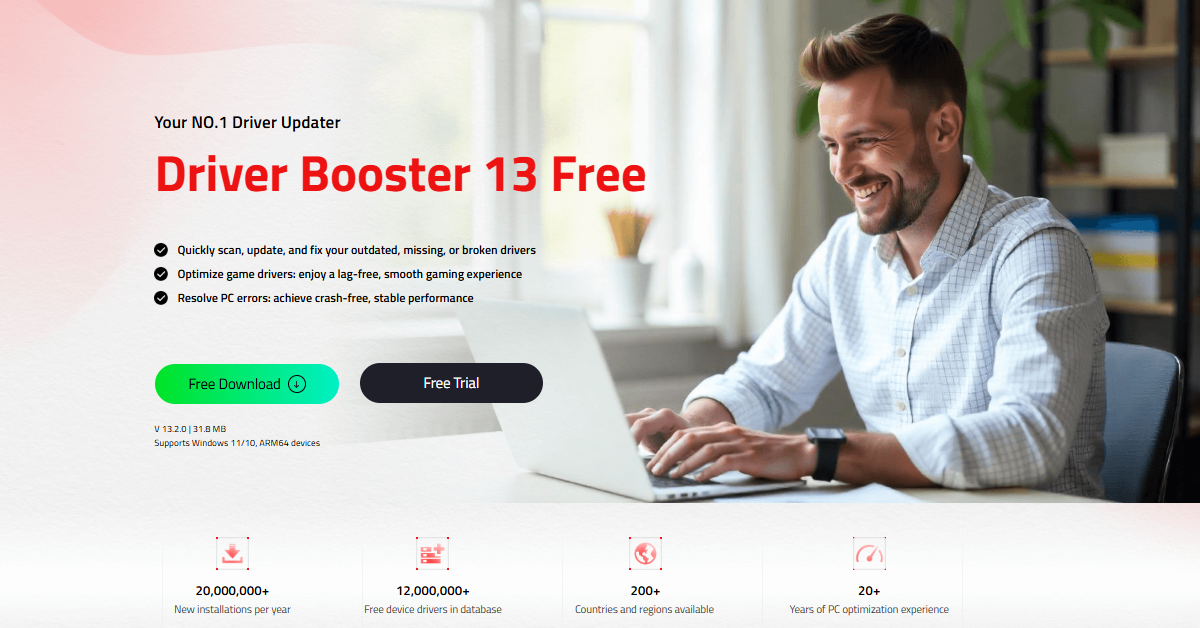
Driver Booster 13, developed by IObit, is built to fix exactly that. It is a free driver updater tool that handles everything automatically like scanning, updating, repairing, and even backing up drivers. Version 13 brings some serious upgrades that make it one of the most complete driver management tools available today.
What Is Driver Booster and Who Needs It?
Driver Booster is a driver updater for Windows that keeps all your hardware drivers current. It supports a wide range of Windows versions from Windows XP all the way to Windows 11, including Windows 10/11 ARM64 devices.
Anyone using a Windows PC can benefit from it. Whether for gaming, work, or daily tasks, regularly updating drivers helps improve system stability, performance, and overall reliability.
What’s New in Version 13
Version 13 is not just a minor update. IObit has made meaningful improvements across the board:
- ARM64 support added — Driver updates now work on Windows 10/11 ARM64 devices, covering over 100,000 drivers for this platform.
- Expanded database — The online driver database now holds over 18 million drivers, making it one of the largest available.
- Faster scanning — The scan engine has been optimized, cutting scan time by 20%.
- Better installation — Driver installation is now 8% faster, and the success rate has improved by 57%.
- Enhanced Game Boost — Gaming performance has been bumped up by 5% through improved system optimization.
How to Use Driver Booster 13 Step by Step
Using the software takes almost no effort. Follow these quick steps to get started.
- Download and install the program from the official link
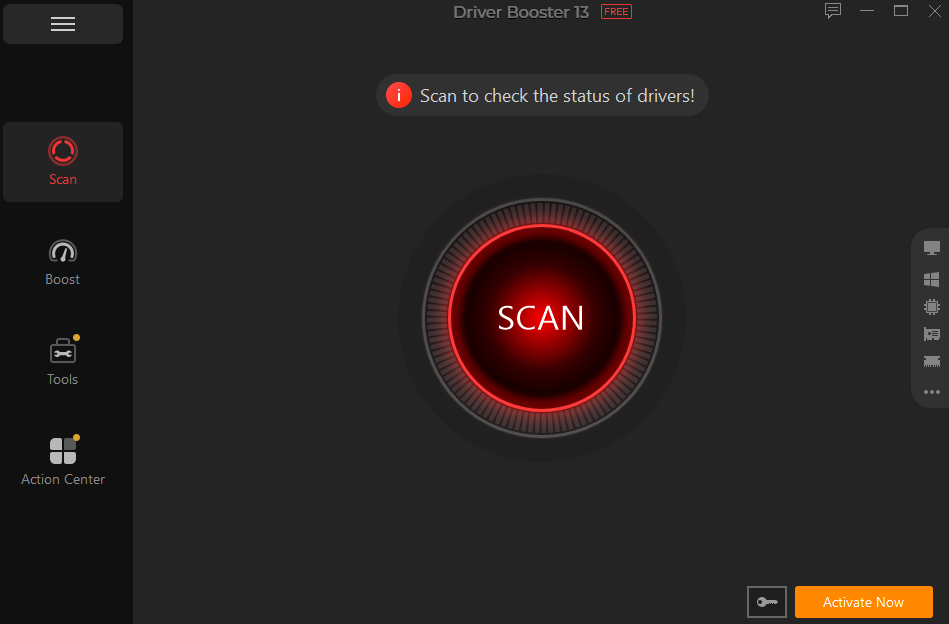
- Open the app and press the Scan button
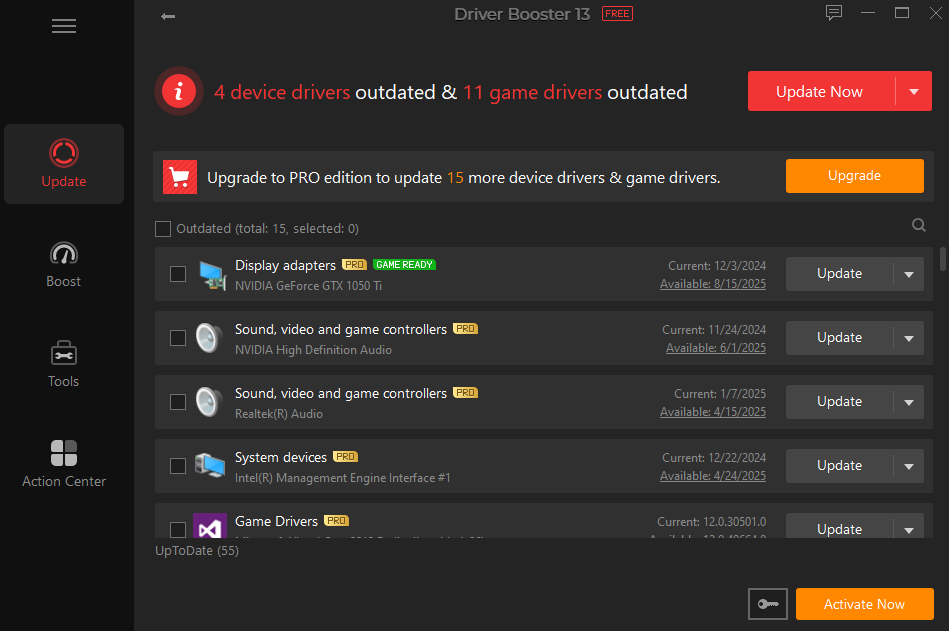
- Review the results and click Update Now
- Restart your PC to finish the process
The whole task finishes in minutes. Your hardware runs on clean and current drivers.
A Driver Database Built on Trust
One concern many users have with third-party driver tools is safety. Installing the wrong driver can cause more damage than having an outdated one.
Driver Booster addresses this directly. Every driver in its database is sourced from official manufacturer websites or Windows itself. Each one goes through WHQL certification and IObit’s own review process before it is made available. With 18 million drivers in the database, users are very unlikely to encounter an unsupported device.
Set It Up Once and Forget About It
Manual driver management is time-consuming. Driver Booster removes that burden entirely. It can run scans at Windows startup, follow a set schedule, or update drivers automatically during system idle time. There is no need to check regularly or download anything manually. The software handles all of it in the background.
Practical Tools That Solve Real Problems
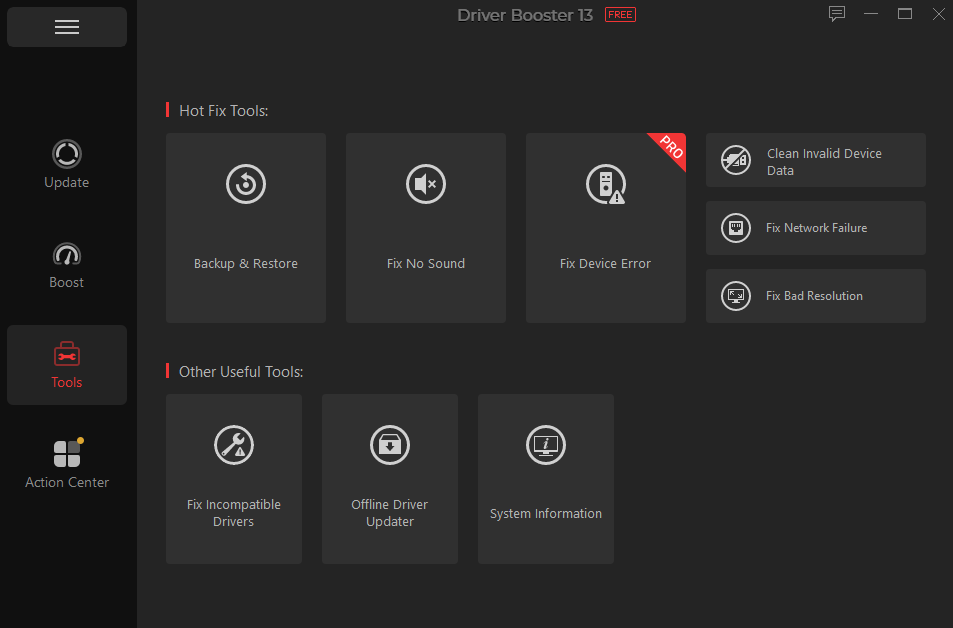
Beyond driver updates, Driver Booster also includes a built-in toolkit for resolving common Windows issues. These tools are particularly helpful when hardware starts malfunctioning and the root cause isn’t immediately clear.
- Fix No Sound — Restores audio when it stops working suddenly
- Fix Network Failure — Helps recover lost internet or LAN connections
- Fix Bad Resolution — Corrects display scaling or resolution issues
- Fix Device Error — Addresses general hardware errors flagged by Windows
These one-click fixes save a lot of time that would otherwise be spent searching forums or running manual diagnostics.
Backup Before Every Update
One of the more underrated features in Driver Booster is its backup and restore system. Before applying any driver update, the tool automatically backs up the existing driver and creates a system restore point. If an update causes a problem, rolling back is straightforward. This safety layer makes it much less risky to keep drivers updated regularly.
Works Even Without an Internet Connection
Setting up a new PC with no network access can be frustrating, especially when drivers are missing. Driver Booster’s Offline Driver Updater feature solves this. Drivers can be downloaded in advance and applied later without an active connection. This is particularly handy for IT setups or fresh Windows installations.
Gaming Performance Gets a Boost Too
Gamers have special driver needs. New games often require the latest graphics drivers for optimal performance. Without these updates, games might crash or run poorly. Frame rates drop and gameplay feels sluggish.
Driver Booster 13 pays special attention to gaming needs. The software identifies game-related drivers and keeps them current. It automatically detects when new GPU drivers become available. These updates improve game stability and boost frame rates with a 5% gaming performance gain.
Final Thoughts
Driver Booster 13 is a well-rounded tool that handles one of the most overlooked aspects of Windows maintenance. The combination of a massive driver database, automatic update scheduling, offline support, and built-in repair tools makes it a practical choice for almost any Windows user.
It is free to download, easy to set up, and does the heavy lifting without requiring technical knowledge. For anyone who wants a stable, fast, and well-maintained Windows system, Driver Booster 13 is worth having installed.
Download Driver Booster 13 Free today and keep your system running smoothly with up-to-date drivers and built-in repair tools.